TroveKeyTroveKey
A command center for Chrome

Chrome, at the speed of thought.

Search tabs, bookmarks, history and saved content. Run browser actions and save posts from Reddit, X, YouTube and more—all locally, without an account.

No account. No cloud. No clutter.

K

One shortcut. Your whole browser.

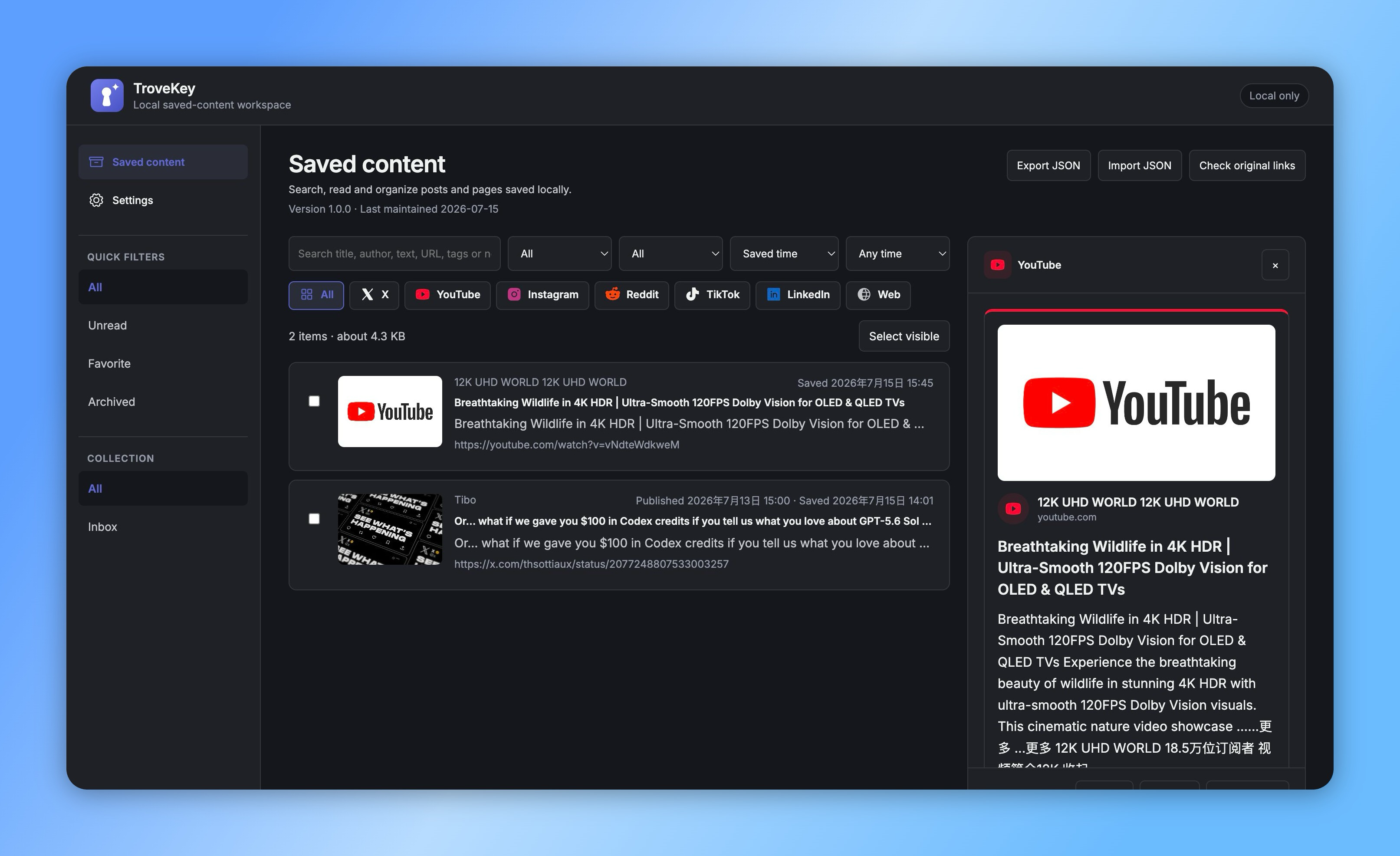
TroveKey local saved-content library with platform filters, search and content details
TroveKey command palette searching tabs, bookmarks, history, saved content and browser commands
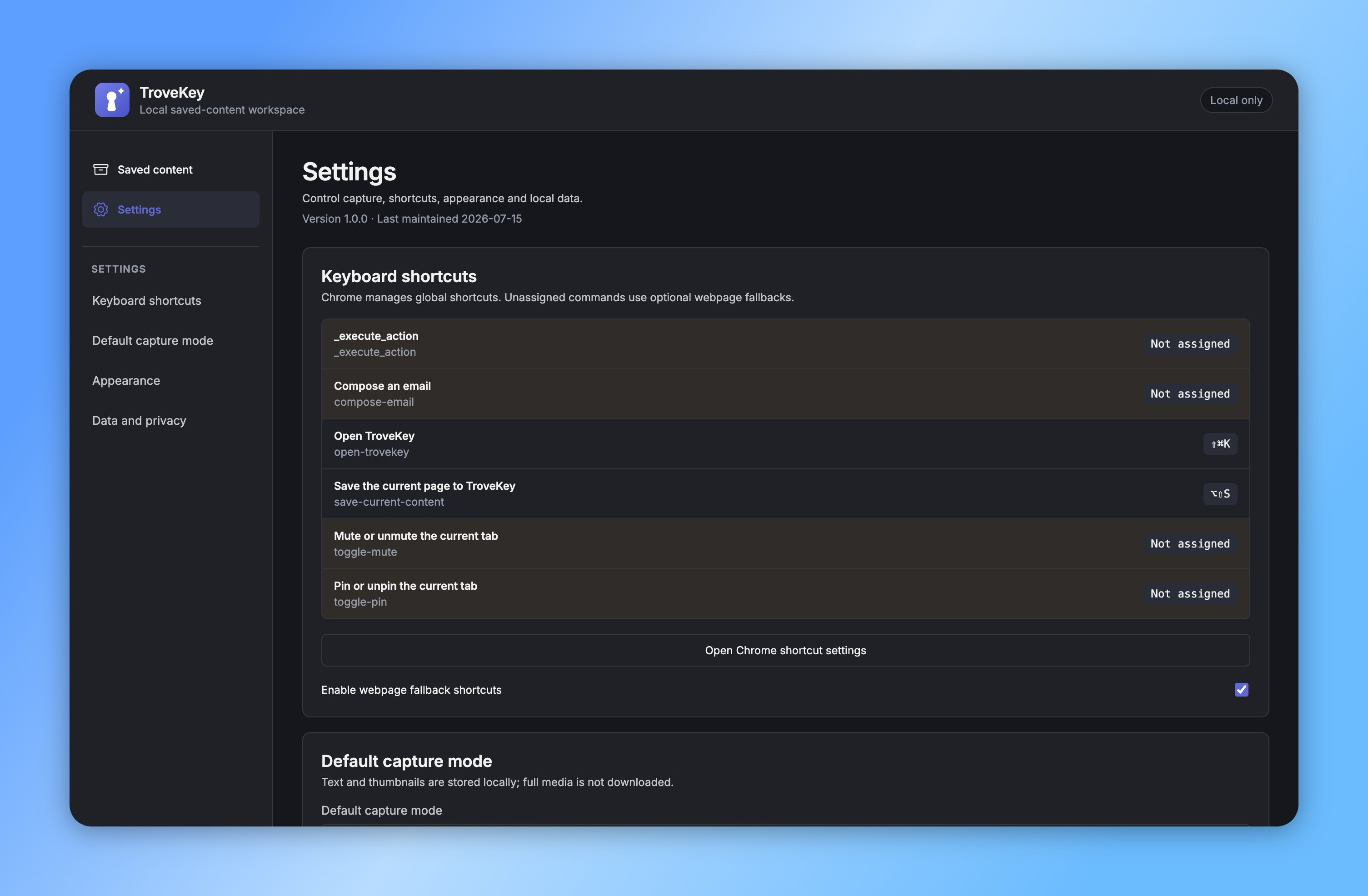
TroveKey settings showing Chrome keyboard shortcuts, capture options and local data controls
One focused flow

Search, act and save without breaking focus.

TroveKey stays out of the way until you need it, then turns the browser into one fast, searchable workspace.

01

Search

Search tabs, bookmarks, history, saved content and commands from the same field.
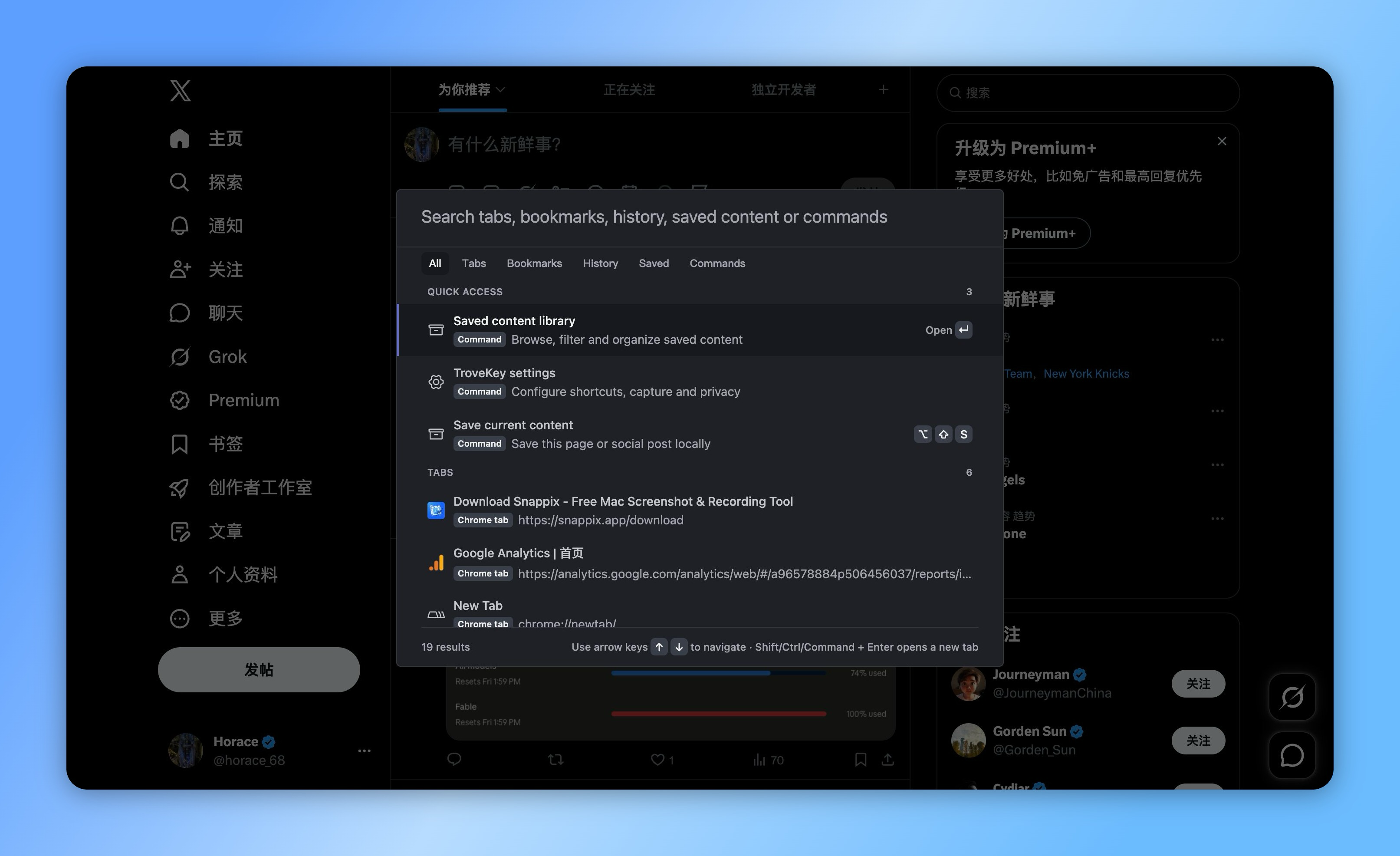
TroveKey command palette searching tabs, bookmarks, history, saved content and browser commands
02

Act

Open, pin, mute, copy and control the browser without reaching for menus.

TroveKey settings showing Chrome keyboard shortcuts, capture options and local data controls
03

Save

Save pages and social posts locally, then find them again in a private library.

TroveKey local saved-content library with platform filters, search and content details

Local-first. Always.

Everything stays on your device. No accounts, no cloud sync and no tracking.

Learn more
100% local

Saved text and metadata never leave your browser.

Private by default

No account, tracking or hidden sync layer.

Built for speed

A lightweight extension designed for keyboard flow.

One focused flow

How it works

  1. Open TroveKey with Command/Ctrl + Shift + K.
  2. Type what you remember or choose a command.
  3. Press Enter to open, act or save.
Save across the web

One library for the posts and pages worth keeping.

  • Reddit
  • X
  • YouTube
  • Instagram
  • TikTok
  • LinkedIn
FAQ

Questions before you install.

How is TroveKey different from Chrome tab search?
TroveKey searches open tabs alongside bookmarks, browser history, locally saved content and browser commands. It also lets you act on the selected result from the same keyboard-first interface.
Do I need an account?
No. The core command palette and saved-content library work without registration or a cloud account.
Does TroveKey upload saved content?
No. Saved text and metadata remain in the browser extension's IndexedDB storage. You can export a versioned JSON archive for backup.
What happens when a site blocks content access?
TroveKey clearly marks the capture as partial and saves the canonical link plus any metadata it can read, rather than presenting an incomplete capture as a full copy.
Which sites have dedicated capture support?
TroveKey has dedicated handling for Reddit, X, YouTube, Instagram, TikTok and LinkedIn, with a general webpage fallback for other sites.

One shortcut. Your whole browser.

Keep the speed of a command palette and the memory of a private content library.

Get for Chrome

No account. No cloud. No clutter.

TroveKey – Search Tabs, Bookmarks & Saved Posts in Chrome